How to Improve Performance in Next.js Projects
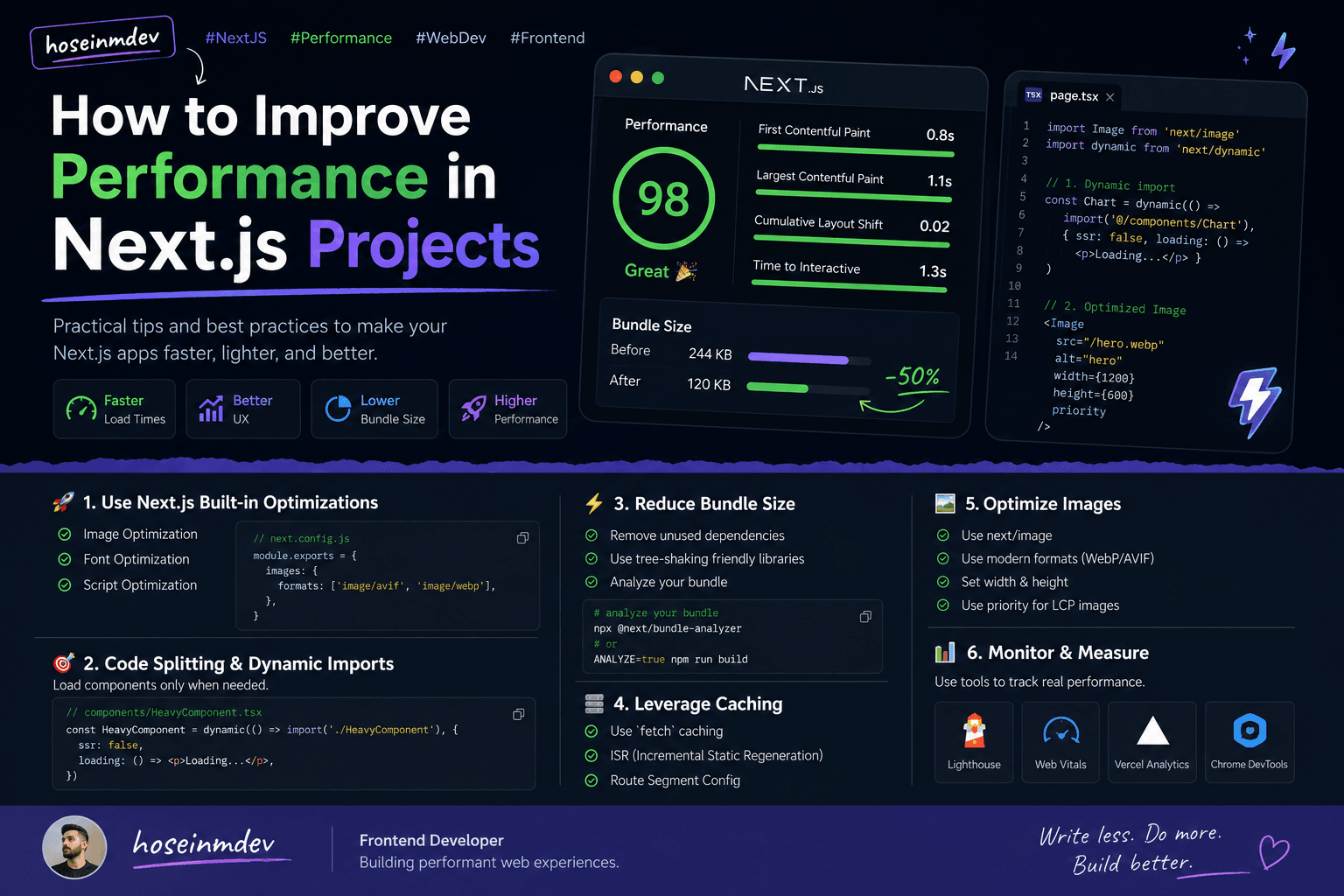
Why this matters
Performance in Next.js isn’t just a “nice to have”.
It directly affects:
user experience
SEO
conversion rate
And the truth is — most performance issues don’t come from React itself, but from how we use it.
This is a breakdown of what actually works in real projects.
🚀 1. Use Next.js built-in optimizations (don’t fight the framework)
Next.js already gives you a lot for free — if you actually use it.
✅ Image Optimization
import Image from 'next/image';

<Image
  src="/hero.webp"
  alt="hero"
  width={1200}
  height={600}
  priority
/>
👉 Automatically:
lazy loads images
serves modern formats (WebP/AVIF)
resizes per device
✅ Font Optimization
import { Inter } from 'next/font/google';

const inter = Inter({ subsets: ['latin'] });
👉 No layout shift 👉 No external requests
⚡ 2. Code Splitting & Dynamic Imports
Don’t load everything at once.
import dynamic from 'next/dynamic';

const HeavyComponent = dynamic(() => import('./HeavyComponent'), {
  ssr: false,
  loading: () => <p>Loading...</p>,
});
👉 Load only when needed 👉 Reduce initial bundle size
📦 3. Reduce Bundle Size
This is where most apps fail.
🔍 Analyze your bundle
npm install @next/bundle-analyzer
// next.config.js
const withBundleAnalyzer = require('@next/bundle-analyzer')({
  enabled: process.env.ANALYZE === 'true',
});

module.exports = withBundleAnalyzer({});
Run:
ANALYZE=true npm run build
💡 Common mistakes
importing whole libraries instead of specific functions
unused dependencies
large UI libraries without tree-shaking
👉 Example:
// ❌ bad
import _ from 'lodash';

// ✅ good
import debounce from 'lodash/debounce';
🧠 4. Use Server Components (when possible)
With modern Next.js (App Router), you should default to Server Components.
👉 Benefits:
less JS sent to client
faster load time
better SEO
Example
// server component by default
export default async function Page() {
  const data = await fetch('https://api.com/data').then(res => res.json());

  return <div>{data.title}</div>;
}
👉 No useEffect 👉 No client-side fetching
⚡ 5. Smart Data Fetching & Caching
Next.js gives you built-in caching.
fetch('https://api.com/data', {
  cache: 'force-cache',
});
Or:
fetch('https://api.com/data', {
  next: { revalidate: 60 },
});
👉 ISR (Incremental Static Regeneration) 👉 Data stays fresh without killing performance
🧩 6. Optimize Rendering
❌ Avoid unnecessary re-renders
overusing
useStatepassing unstable props
not memoizing components
✅ Use memoization when needed
import { memo } from 'react';

export default memo(MyComponent);
👉 Don’t overuse it — only where needed
🖼️ 7. Optimize Images (properly)
always use
next/imageuse correct sizes
avoid huge images
👉 biggest impact on LCP (Largest Contentful Paint)
🧪 8. Measure, don’t guess
Use real tools:
Lighthouse
Web Vitals
Chrome DevTools
Vercel Analytics
👉 If you’re not measuring, you’re guessing
⚠️ Common mistakes I see
turning everything into client components
ignoring bundle size
fetching data on the client unnecessarily
not using caching
overusing libraries
🧠 Real-world mindset
Performance is not about doing one thing.
It’s about:
small optimizations everywhere
🔥 My go-to checklist
use Server Components by default
optimize images with
next/imagelazy load heavy components
analyze bundle size
use caching properly
avoid unnecessary client logic
🧩 Final thought
Next.js is already optimized.
Most performance issues come from: 👉 how we use it, not the framework itself
Keep things simple. Ship less JS. Measure everything.
That’s it.