All Projects

English Notebook

Next.js 15TypeScriptPrismaNeon PostgresTailwind CSS
English Notebook

Learn English the fun way — read AI-generated stories, tap any word you don't know, and watch it turn into a flashcard with a definition, a Persian translation, and example sentences. No boring word lists, just reading and clicking.

Key Features

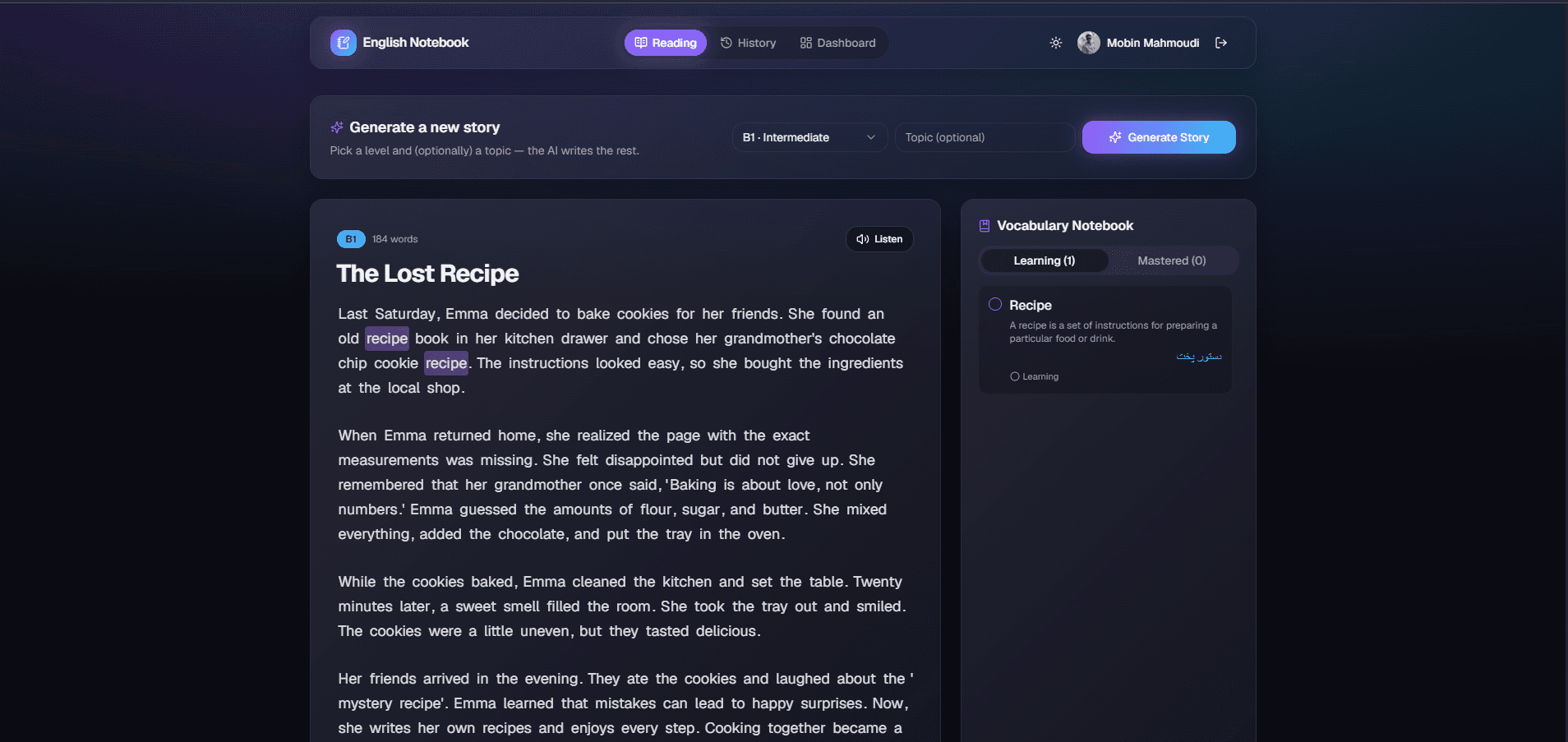
AI Story Generator — Pick a CEFR level (A1 → C2) and, optionally, a topic, and get a fresh, unique short story every time via OpenRouter — no recycled characters or plots
Interactive Reading — Click any word you don't know right in the story, no copy-pasting into a dictionary tab
Vocabulary Notebook — Every clicked word gets its definition, Persian translation, and 2–3 example sentences fetched automatically, tracked as Learning or Mastered; each story also auto-seeds a handful of key vocabulary to study right away
Read-Aloud Narration — Browser-based text-to-speech reads any story aloud with the current word highlighted live, plus separate listen buttons for vocabulary words and example sentences
Story History — Every generated story is saved; revisit any past story and pick up reading exactly where you left off
Analytics Dashboard — Total words learned, active vs. mastered breakdown, daily streak, and a 14-day activity trend chart built with Recharts
Google sign-in — Auth.js v5 with database sessions; every user's stories, vocabulary, and progress are private to their account
Neon Postgres + Prisma — Serverless Postgres with a typed schema for User, Story, Vocabulary, and DailyProgress
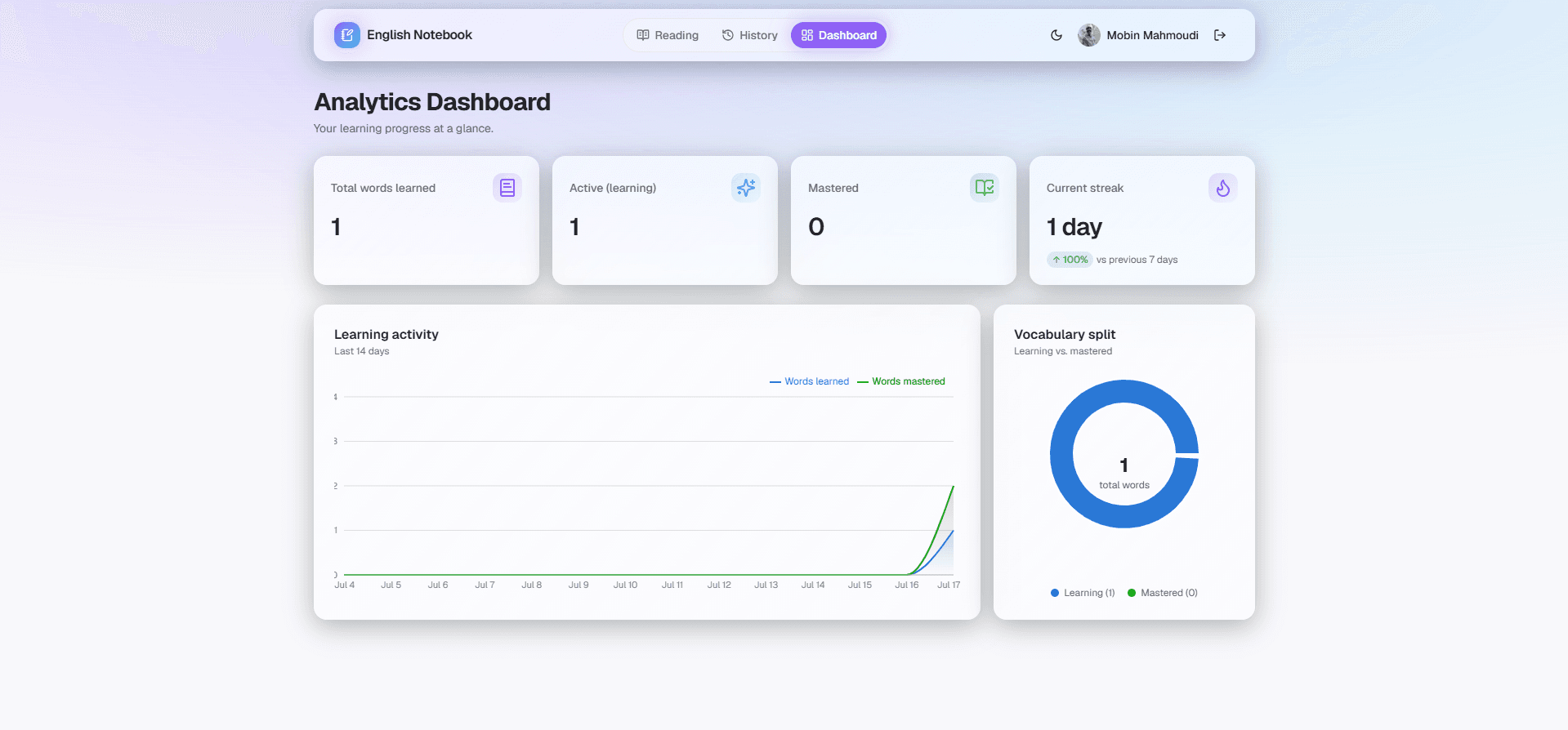
Dark-mode-first UI — Frosted glass panels and soft gradients, with a fully supported light mode
Project TypePersonal
Tech StackNext.js 15, TypeScript, Prisma, Neon Postgres, Tailwind CSS
Features3 sections covered

Screenshots

01

Interactive Reading & Narration

Pick a CEFR level (A1–C2) and an optional topic to generate a fresh, unique AI story, then click any unfamiliar word right in the text to save it to your Vocabulary Notebook with a definition, Persian translation, and example sentences. Read-aloud narration highlights each word live as it's spoken.

Interactive Reading & Narration screenshot 1
02

Story History

Every generated story is saved automatically — revisit any past story from the History tab and pick up reading exactly where you left off.
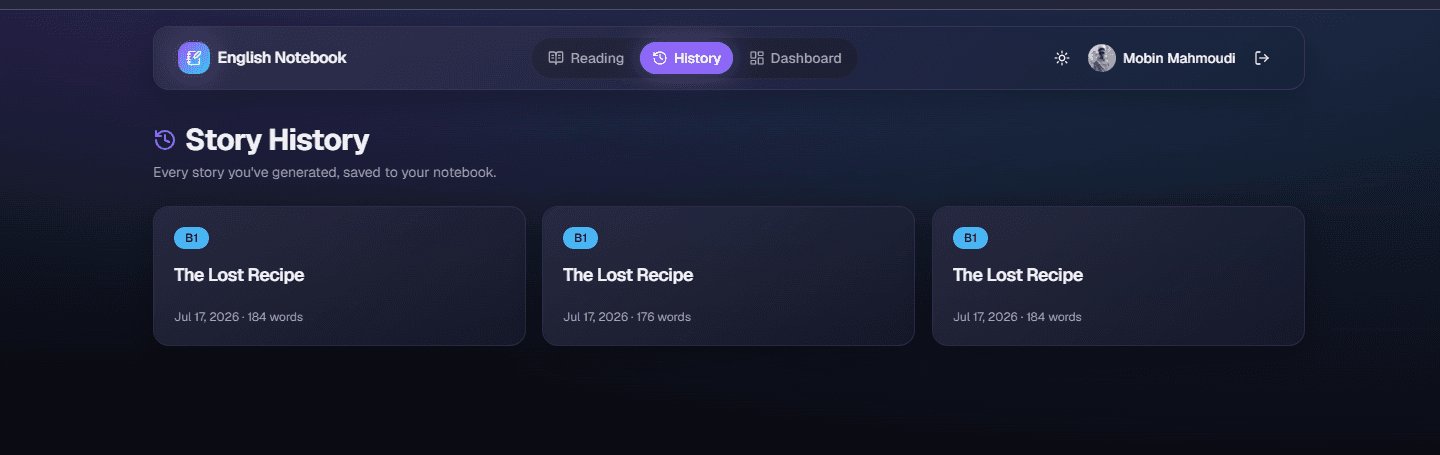
Story History screenshot 1
03

Analytics Dashboard

A dark-mode-first glassmorphism dashboard tracking total words learned, active vs. mastered counts, daily streak, and a 14-day learning activity trend. Light mode is fully supported too.
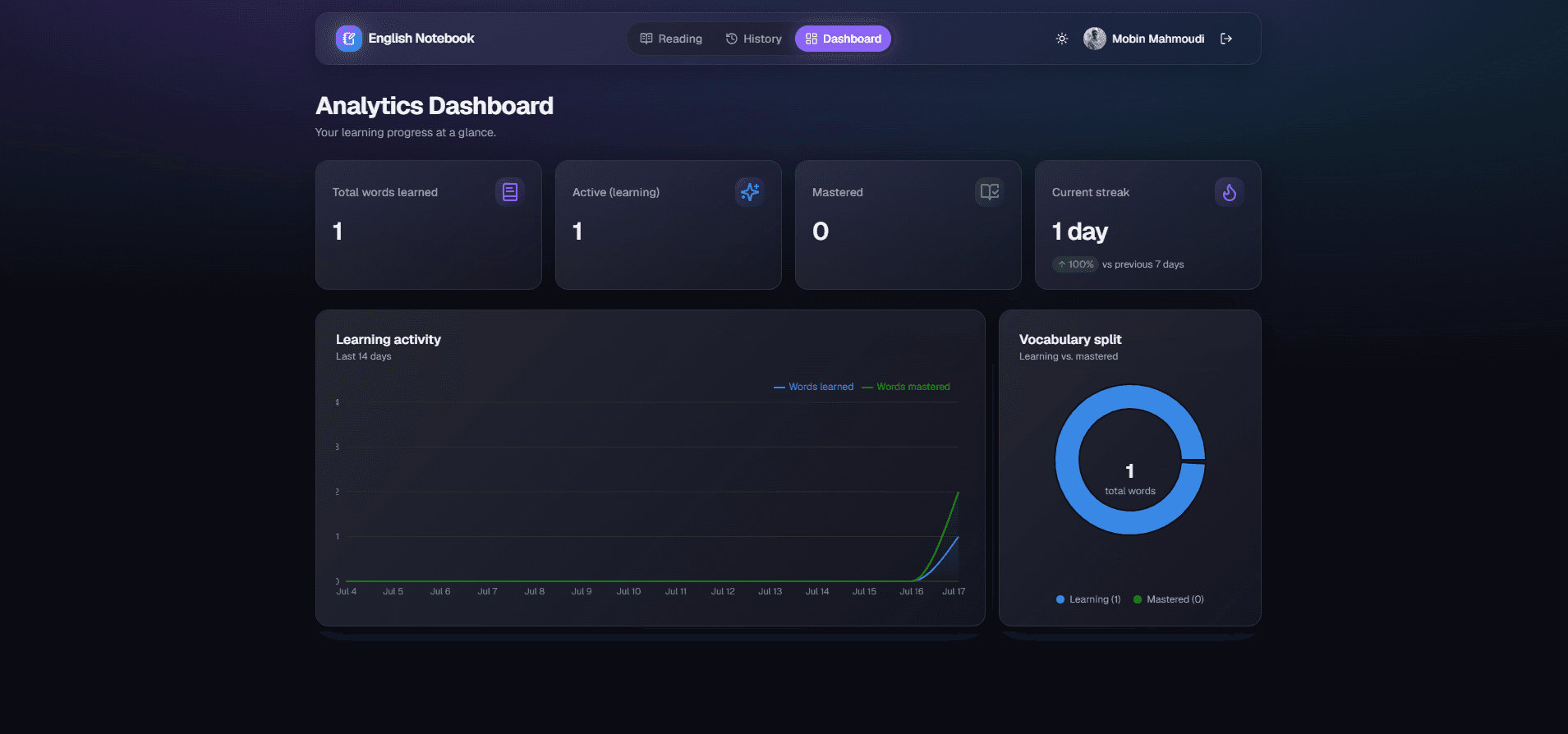
Analytics Dashboard screenshot 1
Analytics Dashboard screenshot 2